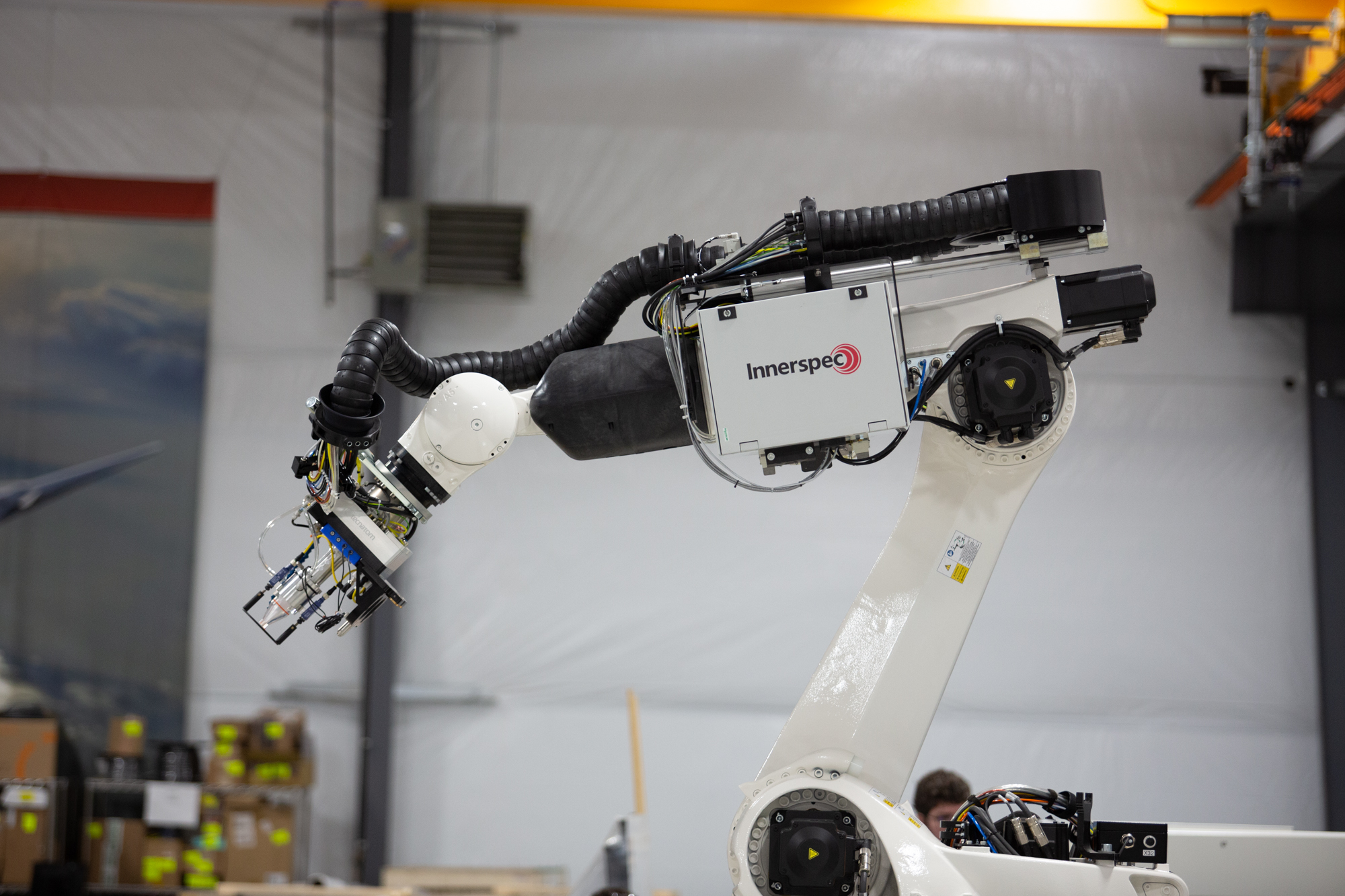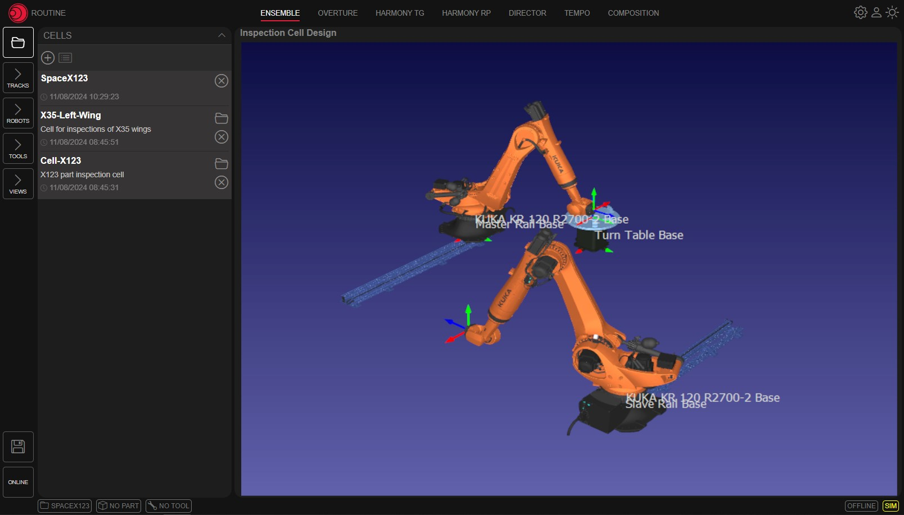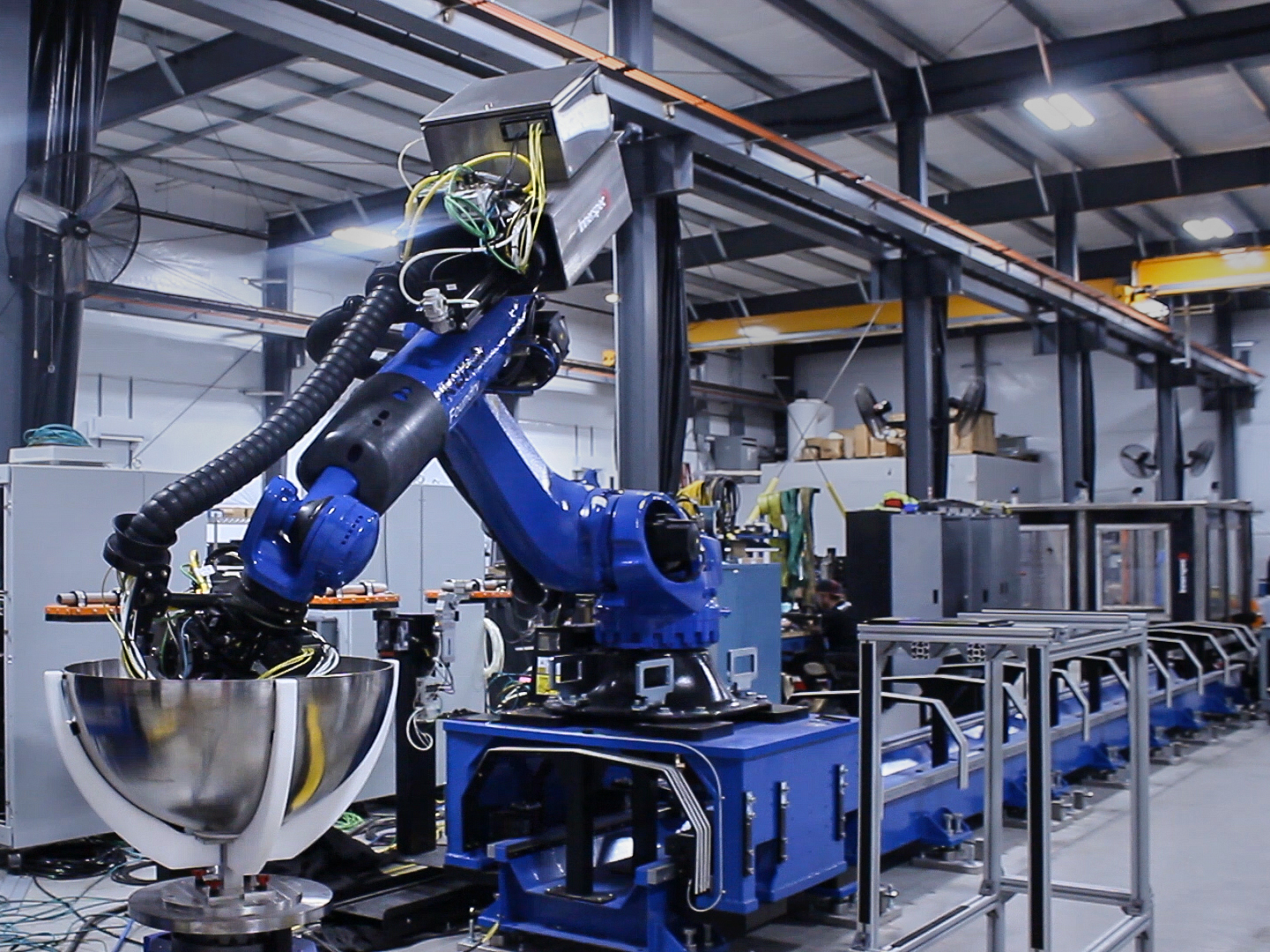
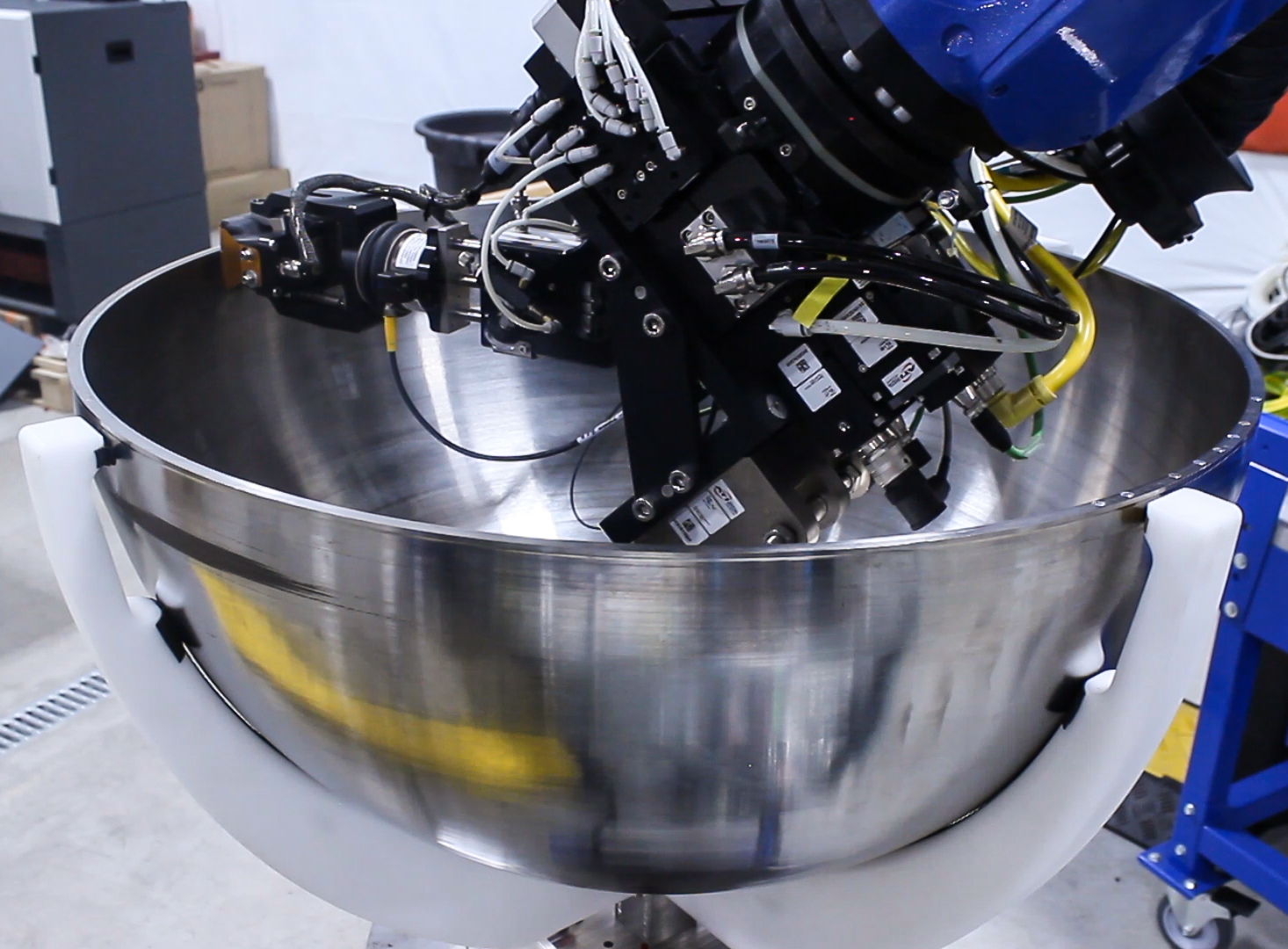
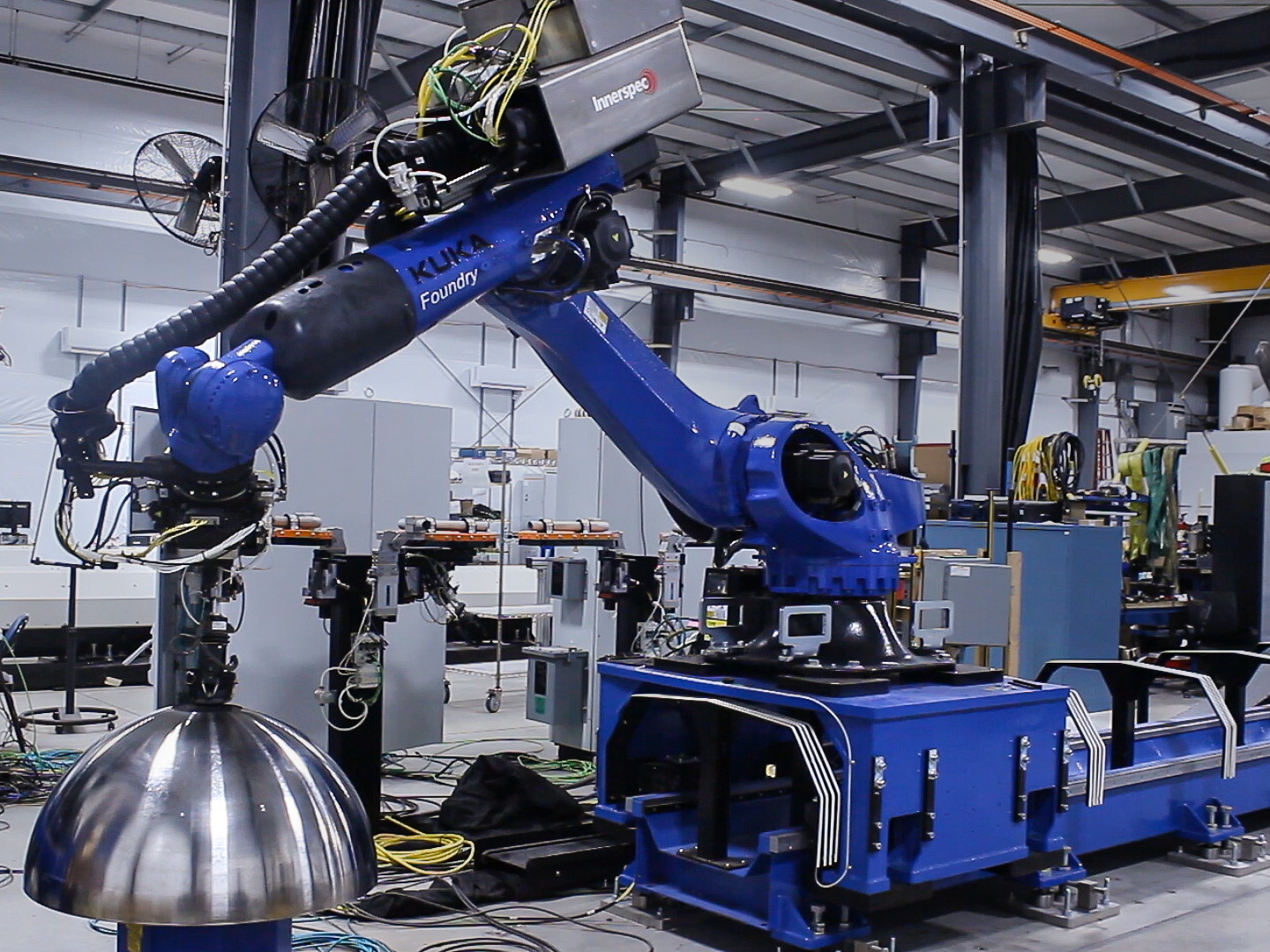
CHORUS robots provide a flexible and highly productive platform for the inspection of surfaces of revolution, such as domes and cones, and non-axisymmetric round shapes, such as Inlet Lip Skins widely used in the aerospace industry.
The parts are typically mounted on a turntable, which provides continuous or discrete rotation points while the robotic arm scans the component. The robot can adapt to variations in geometry and provide different paths and re-scan specific sections depending on the NDT needs.
CHORUS can be fitted with different End Of Arm Tool (EOAT) depending on the inspection required:
CHORUS robots provide a flexible and highly productive platform for the inspection of surfaces of revolution, such as domes and cones, and non-axisymmetric round shapes, such as Inlet Lip Skins widely used in the aerospace industry.
The parts are typically mounted on a turntable, which provides continuous or discrete rotation points while the robotic arm scans the component. The robot can adapt to variations in geometry and provide different paths and re-scan specific sections depending on the NDT needs.
CHORUS can be fitted with different End Of Arm Tool (EOAT) depending on the inspection required:
Mit dem Rich-Text-Element können Sie Überschriften, Absätze, Blockzitate, Bilder und Videos an einem Ort erstellen und formatieren, anstatt sie einzeln hinzufügen und formatieren zu müssen. Mit einem Doppelklick können Sie einfach Inhalte erstellen.
Ein Rich-Text-Element kann mit statischen oder dynamischen Inhalten verwendet werden. Bei statischen Inhalten können Sie es einfach auf einer beliebigen Seite ablegen und mit der Bearbeitung beginnen. Für dynamische Inhalte fügen Sie ein Rich-Text-Feld zu einer beliebigen Sammlung hinzu und verbinden dann ein Rich-Text-Element mit diesem Feld im Einstellungsfenster. Voilà!
Überschriften, Absätze, Blockzitate, Abbildungen, Bilder und Abbildungsunterschriften können alle gestylt werden, nachdem dem Rich-Text-Element eine Klasse hinzugefügt wurde, indem das verschachtelte Selektorsystem "Wenn innerhalb von" verwendet wird.
Mit dem Rich-Text-Element können Sie Überschriften, Absätze, Blockzitate, Bilder und Videos an einem Ort erstellen und formatieren, anstatt sie einzeln hinzufügen und formatieren zu müssen. Mit einem Doppelklick können Sie einfach Inhalte erstellen.
Ein Rich-Text-Element kann mit statischen oder dynamischen Inhalten verwendet werden. Bei statischen Inhalten können Sie es einfach auf einer beliebigen Seite ablegen und mit der Bearbeitung beginnen. Für dynamische Inhalte fügen Sie ein Rich-Text-Feld zu einer beliebigen Sammlung hinzu und verbinden dann ein Rich-Text-Element mit diesem Feld im Einstellungsfenster. Voilà!
Überschriften, Absätze, Blockzitate, Abbildungen, Bilder und Abbildungsunterschriften können alle gestylt werden, nachdem dem Rich-Text-Element eine Klasse hinzugefügt wurde, indem das verschachtelte Selektorsystem "Wenn innerhalb von" verwendet wird.